Showing posts with label Indexes. Show all posts

Tuesday, 27 March 2018

Comparing BMD indexes for England and Wales: Findmypast

Birth, marriage and death indexes are searched separately with customised search forms, or as part of more general categories. If you search a specific database (reached via the A-Z of record sets) the search page contains links to the other two civil registration databases, but you need to re-enter the data each time you switch to another database. There are no mandatory fields so you can search without a surname, or without any name all. If you are searching a single database for civil births, marriages or deaths, there is a neat feature that shows you how many results you will get once you have entered your search terms, but before you perform the search; when you have entered information in any of the search fields the text on the Search button turns to ‘See xxx results’.

On the search screen the ‘Name variant’ box is ticked for the First Name(s) field, and unticked for the Last Name field, which is generally the best option, but you can change this if you wish. Name variants on the first name will return common variants and diminutives such as Tom or Tommy for Thomas (and vice-versa), followed by results including the initial letter of the name.


Births 


The search screen for births includes a field for Mother’s Last Name, and when you start typing in this box there is a warning that the information only appears in the index from 1911 onwards. However, Mother’s Last Name has recently been added to some, but not all, birth index entries back to 1837, so search including years before 1911 may produce some results. You can use wildcards in the name fields if you leave the ‘Name Variants’ box unticked.

The default setting for the Birth Year box is +/- 2 years, but you can easily change this to limit your search to a single year, or +/- 1, 5, 10, 20 or 40 years. You can also limit your search results to a single quarter, which Findmypast describes as 1, 2, 3 or 4, instead of the more usual Mar, Jun, Sep and Dec, or Jan-Mar, Apr-Jun etc. You need to do this using Findmypast’s equivalent of the drop-down menu, where it says ‘Browse Birth Quarter’; when you select this option you tick the box of the quarter you require, and you can select more than one quarter. The Birth Quarter field contains the text ‘Start typing a birth quarter’ but nothing you type here has any effect, although this feature works perfectly well in other fields on this search page, ‘Browse District’ and ‘Browse County’. When using either of these options you can select from the Browse menu, or you can start typing in the search box when you will see a list of options appear, and you need to click on an option to select it. Typing alone, without selecting an option, will have no effect. This feature is used throughout Findmypast on many of its search pages. It is less intuitive than a conventional drop-down menu, but it has the advantage that you can easily select more than one district or county, and your selected options are clearly visible below the search box.

The District options are registration districts as they appear in the indexes. The County option is a useful way to restrict a search to a rough geographical area, but is not part of the index entry, and many registration districts straddle county boundaries. It can sometimes be more useful than the District option, because there have been many district changes since 1837, and it is possible to unwittingly select a registration district that did not exist during the years being searched, and so fail to get the results you might expect. There are two more search fields on the Birth search page, ‘Place Keywords’ and ‘Optional Keywords’. Typing any name or place name in the Optional Keywords box will produce results or filter existing ones, but since there are already perfectly good name and place search boxes this is of limited use. ‘Place Keywords’, on the other hand, can be a really useful feature; you can only search by registration district using the District field, but here you can type the name of a parish or other place. When you start typing you can choose from a list. For example, selecting ‘Gillingham, Kent, England’ will produce results from the the registration districts of Medway or Chatham, depending on the date. This is very helpful when you know a place of birth, but are not familiar with registration district boundaries and their changes over the years.

The results show the name, year, quarter, district and county, and the mother’s maiden name, where applicable. From 1984 onwards the indexes are annual, not quarterly, and the reference shows the month of registration, which has been converted to a notional quarter on the main results screen. There is also a panel on the left side of the results screen where you can refine your search, but this lacks some of the fields of the custom search page. This is fine as a quick way to change the name or date details, and if you need to go back to the custom search screen ‘Advanced options’ will take you there.

You can’t download the search results, but you can re-sort them by any of the fields displayed. The full reference details, including the volume and page (and the month, where applicable) are only displayed when you click on the transcription for each entry. Unfortunately there is no way to search or sort by volume and page number.

Deaths 


The search page for deaths is, not surprisingly, fairly similar to that for births, since many of the fields are the same. Because the death indexes show the age at death from 1866, there is a ‘Year of birth’ field, with the same +/- options. When you click in this box to start typing, you might expect to see a note to the effect that the age at death is not shown in the indexes until 1866, but instead there is the rather puzzling ‘most of our civil death & burial records cover the years of birth 1780 to 2006’.

Although the results displayed will include the year of birth, this does not appear in the indexes until 1969, so before this date it will be a figure arrived at by subtracting the age at death from the year of registration. This means that the calculated year of birth will sometimes be a year out - this is not a major problem in most cases, since the age supplied when registering a death is often inaccurate in the first place. Both the age at death and the calculated year of birth appear in the full transcription for deaths up to the March quarter of 1969, after that the year, month and day of birth are shown in the transcription.

At first sight, the place search options look more helpful than those for birth searches, because instead of ‘Optional keywords’ there is a Parish option which you can browse. But the ‘Place keywords’ box is still more useful; taking the example of Gillingham, the ‘Browse parish’ list offers only Gillingham, but there are three parishes of that name in England, so it will produce results from registration districts in Dorset, Kent and Norfolk. The Place keywords field allows you to distinguish between several parishes of the same name.

Marriages 


The marriage search does not have either the ‘Optional keywords’ or ‘Parish’ fields, only the more useful ‘Place keywords’, along with District and County. There are also fields for the surname and forename of the spouse, and the results show name, year, quarter, district, county and spouse’s surname (from 1912). Unlike the birth and death searches, there are fields for volume and page references. While this is useful, the main reason for using this facility is to identify likely spouses; but if you click on the transcription of an entry you will see the ‘Marriage finder’ feature that does this automatically. From 1912, when the surname of the spouse is included in the index, this will almost always be a single name, but in earlier years there can be several possible spouses, depending on the number of entries on the same page. The Marriage Finder suggests spouses of the opposite sex, based on their forenames, but in the case of forenames that can be either male or female it will present all the other names on the page, to be on the safe side.


 For all three events Findmypast provides some background information, which is generally helpful, although some of the advice is questionable, such as ‘If you can’t find your ancestors in these records, it’s possible they eloped or were in common law relationships.’ to their credit, they also direct you to the GRO site to order copies.


Browsing


Quite separate from the three search functions is 'England & Wales Birth, Marriage and Death Browse 1837-1983'. You can type or browse the event type, and the year +/- 1, 2, 5, 10, 20 or 40 as on the other screens, and type or browse the quarter. This time the 'Start typing a Event Quarter' (sic) works, because the quarters are described here as Jan-Mar, etc. The results list individual pages from the scanned indexes, described by name ranges, eg 'FAIRLESS, Joseph - FARRAL, Catharine'. There is an alphabet at the top of the page so that you can jump directly to any part of the index. Once you have clicked on the image link to the scanned page, you can browse forward or back through the images without returning to the results page.

  Print

Monday, 19 March 2018

Comparing BMD indexes for England and Wales: Ancestry


There are separate databases for:

England & Wales, Civil Registration Birth Index, 1837-1915 (free index)
England & Wales, Civil Registration Birth Index, 1916-2005
England & Wales, Civil Registration Death Index, 1837-1915 (free index)
England & Wales, Civil Registration Death Index, 1916-2007
England & Wales, Civil Registration Marriage Index, 1837-1915 (free index)
England & Wales, Civil Registration Marriage Index, 1916-2005

There is another database ‘England and Wales, Death Index, 2007-2015’, but this does not come from GRO data.

The six databases can be searched individually, and there is an option to search all of the above databases at once, called ‘England and Wales, Birth, Marriage and Death Indexes, 1837-2005’ For some odd reason this category also includes six databases of church records from Derbyshire, Somerset and Wiltshire, and the search fields seem more suited to parish register searching.

The wider category ‘Birth, Marriage & Death, including Parish’ includes all of the above, plus more than 300 related collections such as church registers and probate calendars and obituaries, from all parts of the British Isles. However, even the ‘one size fits all’ search screen for this category has a lot of options for refining a search. No category is mandatory, and each field can be set to ‘exact’ or a variety of flexible options. 

Search options


When searching a single database you can select ‘Exact’ for any search field, which enables the use of wild cards * at any point in the word. An ‘Exact’ search in the forename field will return all the results where that name appears, even as a middle name - so a search for Mary will return results for Mary Ann, but there seems to be no way to confine the search to Mary without any other forenames. Leaving the ‘Exact’  box unticked for a name field searched using name variants, which can be useful, but there is no way of knowing which variants have been included or excluded.

You can select an exact year, or up to + or - 10 years. There is a drop-down menu for the month - although the results are always in quarters up to 1983. If you select January, February or March you will get results for the March quarter, and so on. The place search options are less helpful; there is just the standard Ancestry place option, which auto-fills to places in its worldwide database. This does not include a number of registration districts, and even when override this by typing the exact name of one of these ‘missing’ districts it returns no results. This is likely to happen with a district name which is not also the name of a parish or town within it; for example, ’Medway’ will return no results, but ‘Medway, Kent’ will return results from every district in Kent.

Search results


When searching across multiple databases, there are two ways of viewing the results; the ‘Records’ tab lists all of the individual results from all the categories, and the ‘Categories’ tab shows a list of the databases with results, and the number of results in each. 

The results within each database come in chronological order by year (not by quarter) and alphabetically within each year. They show the name, registration district and a county (which does not appear in the original index, and is not always accurate) You can also view an image of the original index page. Each result also has a shopping cart symbol where you can order a copy of the certificate, but this is NOT RECOMMENDED because it costs more than twice as much as ordering direct from the GRO, and will take longer.

The layout of the results varies a little between the various databases, but have similar features, and if you click on ‘View record’ against a particular entry, you will see them all. These include a full transcription of the entry and a link to the original index page (up to 1983). Results from the marriage indexes 1837-1915 include the all the names with the same volume and page reference, to help you identify likely spouses.

If you search the birth indexes by surname, but without a forename, the results from 1911 onwards include entries under other surnames, but where the surname you are searching is the mother’s maiden name. There is no way of searching by mother’s maiden name only in the 1837-1915 birth indexes, but the search options for the 1916-2007 database includes a ‘Mother’ field, for the mother’s maiden name. 

The original paper version of the marriage indexes from 1912 include the surname of the spouse, but the Ancestry results helpfully include the full name of the spouse. 

Death indexes include an age at death from 1866, which in the Ancestry results appears as an estimated year of birth eg ‘abt 1840’ but ‘View record’ shows the age as it appears in the paper index. Results 1837-1915 appear in chronological order, which may not be obvious at first, because it is in order of estimated year of birth, except where the age at death does not appear in the indexes, in which case the year of death is used instead, in practice for results from 1837 to 1865. 

There is no way to re-sort or download search results, although you can choose how many to show at a time, 10, 20 or 50. You can also widen your search to other sets of databases without re-entering the search data. This can be useful where a result from another category helps you identify the right entry - for example a probate calendar entry for a death, or the parish register copy for a marriage.

Phillimore Atlas and Index of Parish Registers 


All of the 1837-1915 indexes include a feature which could have been brilliant, but sadly, has been badly executed.
Extract from the Kent parish map
The full record includes a hyperlink ‘View Ecclesiastical Parishes associated with this Registration District’ which takes you to a list of parishes, based on information extracted from the excellent Phillimore Atlas and Index of Parish Registers. Against each parish is a link to the Atlas’s map for that county, and a simple grid reference to locate the parish within the map, eg 5G, 3A etc. If you look at these maps in the book version of the Atlas you will see that the county maps aren’t overlaid with an actual grid, but have letters and numbers in the margin, which works very well as a visual guide, without cluttering the map with extra lines. The Ancestry parish lists have painstakingly included all these references, but unfortunately, the numbers and letters have been cropped from the images of maps, so you have to guess where they might have been. Oops!


There are some transcription errors, but a much bigger problem is the way that the parishes are listed in their registration districts; if the name of the district contains more than one word, the list will show all the parishes in districts which contain any of those words. So the link for the registration district of St George in the East goes to a list of parishes in districts all over the country, including St Martin in the Fields, Newcastle in Emlyn, Stow on the Wold, and Bury St Edmunds, to name but a few. 

Browse options


The search options and the way the results are presented leave much to be desired, but on the plus side, it is very easy to browse the original index pages. The main search page for each database has a browse option on the right-hand side where you select a year, a quarter, and then an initial letter; so you can reproduce the experience of using the old born index volumes, but without the heavy lifting.

The links to the Phillimore Atlas maps are not very helpful in this context, but they do contain a lot of useful information, and you can browse the map images, either by following the links from your search results, of from the Atlas’s own landing page. 

Print

Monday, 12 March 2018

Comparing BMD indexes for England and Wales: FreeBMD


FreeBMD should normally be the first port of call for anyone who wants to search the General Register Office (GRO) birth, marriage and death indexes. The exception would be when you want to use the more recent indexes; FreeBMD coverage is only up to 1983, the last when the paper indexes were the master copies. Also, since it is an ongoing volunteer project, it is not yet complete - although it is very close. The site has coverage charts that you can check before performing searches in the more recent indexes. 

There a single search screen so you can see all your options at once. You can search births, marriages or deaths, any two of them, or all three at once. The search fields are; last name, forename(s), surname of spouse/mother’s maiden name, spouse’s first name, age at death/date of birth, year and quarter, volumes and page. You can also filter a search to a specific district or county, and a date range. this is ‘from-to’ range, by year and quarter, rather than a ‘+/-‘ by year, so you can define a very precise range, even single quarter.  

The search engine will return results for the surname exactly as entered, and first names beginning with the letters as entered; so ‘Ann’ will return results for Anne, Anna, Annabel etc, including any with middle names. This is the default search, but there are options to select exact search on first names, and phonetic search on surnames. A search for +Ann will produce results where names starting with Ann appear anywhere in the first name field e.g. Gertrude Annie as well as Annie Gertrude. This also works with initials, so +P in the First name(s) field produces results such as Percy, Annie Phyllis, Peter John G and Edith P V.

Birth searches can include the mother’s maiden name (in the indexes from the September quarter of 1911). These searches will only return results from September 1911 onwards. Birth entries for twins will normally have the same page reference, but sometimes they will have consecutive numbers, where one entry is at the bottom of a page, and the other is at the top of the next page.

Marriage searches can include the surname and/or first name of the spouse - spouse’s surname is in the indexes from the March quarter of 1912, but the search will identify potential matches in the earlier records, i.e. where both names have the same reference, which means they appear on the same register page. There can be up to eight names on a page, so matching references do not guarantee that the two people married each other. You can restrict your search to those entries where the spouse's surname is guaranteed by selecting ‘Identifiable spouses only’.


Death searches can include a year of birth or an age. If you put an age at death, it will return results showing that exact age, and also where the age in the index is indistinct, or no age is shown all. The results will also include all entries before 1866, when the age was first included in the index. Results from the June quarter of 1969 will be those with dates of birth consistent with the age selected. You have the option to select ‘recorded ages only’ to get exact results. If you select a year of birth instead of an age, the results before June 1969 won’t be exact, but +/- 2 years.

None of the search fields is mandatory so you can search with just a forename, or even with no name at all. The search screen also has some other useful features; you can save searches, and download search results; if you click on ‘Count’ instead of ‘Find’ you will first see how many results your search will return; there is a maximum of 3000 that can be returned for a single search. 

Search results are colour-coded, pink for births, green for marriages and grey for deaths; this is helpful when searching across more than one event type. The Registration District is a hyperlink to information about that district, and the page number is a hyperlink to a list of all the entries on that page - particularly useful for identifying possible spouses in the marriage search results. 


The ‘Info’ button links to information about the transcribers, but gives no more information about the entry itself unless there is a Postem - extra detail added by an individual, but which does not appear in the index. but if you don't need to click on 'Info' to find out of there is a Postem, because an envelope symbol will also appear against the entry. You can submit corrections via the Info button; a further symbol, of a pair of spectacles, will lead to an image of the original paper or parchment index page to help you do this. 

More information about the site and the data can be found under ‘Advanced Facilities’, and there is a ‘Help’ button for more detailed information on how to search. The search results page includes more links, including instructions on how to order a certificate from the GRO or a local register office. Even frequent users of the site can easily miss some of its many features, which are well worth exploring. if you subsequently use another site for GRO searches, the comprehensive background information found on FreeBMD will prove invaluable. 

No site is perfect, but FreeBMD performs better than other sites in many ways, and is continually updated and improved.

Wednesday, 7 March 2018

Searching the online GRO birth, marriage and death indexes for England and Wales

Before I look at the details of online indexes on various websites, I want to say something about the indexes themselves. It is always easier to make sense of an online resource if you know something of the original hard-copy source it comes from.

Transcription slip used by the GRO

Searching the indexes
Even when the data is identical, you can get different results from different sites because the search engines they use work in different ways. You can even get different results using the same site, depending on the kind of search you use. On some sites you can search across all their records at once, or a general ‘births, marriages and deaths’ category. Searching over multiple databases at once requires somewhat ‘one size fits all’ search options. This has some advantages, but you can perform more refined searches by tackling one set of records at a time.

Sites have different options for coping with variant spellings, including the use of wild cards. If there is a variant spelling option, this will usually involve some kind of computer algorithm; while  this can be useful, it may not cover all the variant spellings of a name, and may produce a number of irrelevant results. You can usually refine searches or filter results by place, and the date range to be searched may be set in different ways. 

It’s important to know that the indexes don’t include all forenames in certain years. So if your search includes middle names you may not find the results you want, depending on the site you are using and the search options you have chosen. All names appear in full in the manuscript indexes from 1837 to 1865 (some of these indexes were withdrawn and replaced by typed indexes, which also contain full names). Printed indexes were introduced in 1866, and for 1866 only, initials are used for all but the first forename; from 1867 to 1909 you will see two forenames, then initials, from 1910 to 1968 the indexes were typed, and show only one forename, then initials. In 1969 computers were first used to prepare the indexes, and from then onwards show two forenames, then initials.

Different times, different errors
Most index information is accurate, but with millions of entries over more than 180 years, there are bound to be mistakes. Depending on the time, and the method of copying used, there are different kinds of errors to look out for.

Until well into the 20th century cursive script was generally used, so even where the final index was printed or typed, the paper slips used for manual sorting were handwritten; so when trying to work out how a name might have been mis-copied, think of letters that look similar in cursive script, not in block capitals, typescript, or print. In the case of capital letters ‘F’ ‘J’ and ’T’ do not look similar when typed or printed, but when handwritten they are easily mistaken for each other, especially at the beginning of an uncommon surname.

When typing, especially on a computer keyboard, it is all too easy to hit the same key twice by accident. The surname Quarmby is a rare one, and I am reasonably certain that the version beginning ‘QQ’ is not a spelling variant, but is the result of ‘fat-finger’ typing - it’s in the death index for the March quarter of 1975 if you want to look for yourself.

Online indexes up to 1983 have been copied from scanned versions of original parchment or paper indexes. But the scans themselves were made from microfilm or microfiche versions, which were themselves copies. The filming that was done in the 1960s was of better quality that the microfiche version made in the 1980s, but the fiche version was much more widely available. The fiche version of the older hand-written volumes could be particularly hard to read - while perfectly legible in their original form, their parchment pages were more brown and beige than black and white. 

In both cases there was always the possibility of two pages being turned over at once by a camera operator, thus losing two pages of entries. When some of the early hand-written index volumes were withdrawn and replaced with typed copies, a typist could also turn over two pages at once with the same result. Additionally, the typed indexes show each surname only once, which saves a lot of key-strokes and therefore time, and typewriter ribbon. Unfortunately, if a surname was mis-copied, or omitted altogether, this could result in a whole block of forenames being indexed under the wrong surname. In the typed index to for the December quarter of 1864 all the ‘Day’ births up to Elizabeth Sarah are wrongly listed under the much rarer name of ‘Dax’ because the typist failed to type the surname ‘Day’ after the entry for Gilbert Elliot Dax.

Finally, some entries do not appear in the indexes at all because they did not make it through all the stages of indexing; copies of some entries, particularly marriages, did not even get to the General Register Office in the first place, even though the original is held in the local Register Office. 


Print

Tuesday, 6 March 2018

Comparing websites – Birth, marriage and death indexes for England and Wales


I recently delivered a talk at Rootstech 2018, which was well-received, and this spurred me on to return to some work I did on comparing the online indexes that appear on various websites. This post is an overview of the main sites and their coverage, and will be followed by more in-depth looks at the individual sites. Anyone who doesn't mind listening to me for an hour can view the Rootstech presentation in full. 

indexes Indexes to the birth, marriage and death registers for England and Wales are very widely available. You will find them on a number of sites, some free, some commercial. Although the records are (theoretically) the same, there are differences between the various indexes, and it is worth knowing about them to get the best results from your searches.

There is a single set of records for births, marriages and deaths since 1837, held by the General Register Office (GRO). But this is not the only set. Births and deaths are registered at a local Register Office, and the original records are still held locally. The central registers were compiled from copies sent to the GRO, called quarterly returns. 

Marriage registers are a little more complicated, because marriages could be performed in a number of places; principally, churches of various denominations, synagogues, Quaker meeting houses and register offices. The original registers may be with the church (or more usually a local record office), or at the register office, but, like the births and marriages, the GRO marriage registers were compiled from the quarterly returns.

The main sites where you can consult indexes to GRO registers are: 


None of them is complete, and they all have their strengths and weaknesses, so it is worth using a combination of them for best results. The most recent indexes are not online anywhere, they can only be consulted on microfiche at selected locations – details of these are on the GRO site.

Coverage

FreeBMD 1837-1983
As the name suggests, this is a free site, the result of an enormous amount of work by an army of volunteers. It is still a work in progress, although the coverage charts for births, marriages and deaths show that it is virtually complete up to the early 1960s, but with many gaps after that. It ends at 1983, the last year before the indexes were ‘born digital’ and the databases were retained by the GRO. 

Ancestry 1837-2005 (births and marriages) 1837-2007 (deaths)
This is a commercial site, but there is free access at many libraries, record offices and FamilySearch centres. However, Ancestry’s indexes 1837-1915 for all three events come from FreeBMD, and so are still free to search on Ancestry. You will not always get identical results from the two sites because both allow users to submit corrections, so any amendments or updates to FreeBMD after Ancestry acquired the data will only appear on FreeBMD. Similarly, any changes made on Ancestry will not appear on FreeBMD. Indexes from 1916 to 2005 (births and marriages) and 1916 to 2007 (deaths) are Ancestry’s own. You can also browse the images of the index volumes 1837 to 1983.

FindmyPast 1837-2005 (marriages) 1837-2006 (births) 1837-2007 (deaths)
Also a commercial site, but with free access at many libraries record offices and FamilySearch centres. All of the indexes on FindmyPast were prepared independently of those on FreeBMD or Ancestry. You will also find them on www.Genenesreunited.co.uk, which is owned by the same company. You can also browse images of the index pages 1937 to 1983. The indexes can also be searched free of charge on www.familysearch.org

General Register Office 1837-1917 (births) 1837-1957 (deaths) 
These indexes are free to search, but you need to register an account with the site and log in to use them. You need to do this anyway to order certificates from the GRO; ordering GRO certificates from anywhere else will cost more, and take longer. The GRO’s own indexes are the newest to appear online, and are limited in coverage, but they were created by re-indexing the quarterly returns. All of the others are transcriptions of the existing indexes. 


MyHeritage 1837-2005
It is not clear from the MyHeritage site whether they have compiled their own indexes, or obtained them under licence from another site. As well as the three databases for 1837-2005, there is a GRO birth index for 1911-1954. This is one of the three major commercial sites worldwide, along with Ancestry and FindmyPast, but has a relatively low profile in the UK, so it is less likely to be available free of charge in record office and libraries, but there is free access in FamilySearch centres.
  
The Genealogist 1837-2005
These indexes were prepared independently of the others, and are also available  on www.bmdindex.co.uk which belongs to the same company.  FamilySearch centres have free access, and some libraries and record offices may also have free access; but it is much less widespread than the two main commercial sites. 


Print

Wednesday, 18 April 2012

Workaday Wednesday - the men behind the indexes

From Cassell's New Penny Magazine 1899

Everyone who researches family history in England and Wales between 1837 and the present day uses the General Register Office (GRO) indexes. Nowadays we usually access them online, in database format, but they started out as bound volumes of hand-written parchment pages back in the 1830s. They were compiled by an army of clerks, and in case you were wondering, they were all male until well into the 20th century. Oddly enough, there were female registrars of births and deaths as early as the 1870s, but that's a tale for another day.

When the GRO was set up in 1836, many of the staff were recruited from Grosvenor and Chater, a firm of law stationers who also operated as a kind of employment agency providing clerical staff. The senior clerks were always part of the civil service establishment, however. The clerks who prepared the indexes were part of the Record Branch, while others worked in the Statistical, Correspondence or Accounts Branches. The Record Branch clerks who prepared the indexes were divided into transcribers, sorters and indexers. The transcribers copied the names and references from birth, marriage and death entries onto slips that were then sorted by (guess who) the sorters. The details from the sorted slips were then written up on parchment pages by the indexers. These were bound into volumes, most of which were still in daily use in the Public Search Room until 2007. The transcribers and indexers were paid according to the number of entries they completed, known as 'task work', but their work was checked, and if it was not satisfactory they had to do it again. The indexers could even have money docked from their wages for the parchment they had wasted - it was expensive stuff, after all, at 1/- per skin. 

Marriage index December quarter 1865
On some of the original pages you can see, in pencil, the names of the indexer and of the senior clerk who checked his work. In the example above you can see the name 'Beddoes' in the top left corner and 'checked T Davies'. There were records clerks called John Beddoes and Thomas Davies on the staff of the GRO at that time. I know this because I have compiled a database of nearly 400 people who worked at the GRO in the 19th and early 20th centuries. Sad but true. From 1866 the system changed when the indexes were sent off site to be printed, and the transcribers and sorters were re-classified as 'index compilers'. 

From the beginning the GRO had more work that it could cope with, and the Registrar General frequently asked the Treasury for more staff, or at least for more money to pay overtime to the existing staff. The work was monotonous and the hours were long, often six days a week, and the clerks were not well paid. In the 1840s and 1850s in particular there were many instances of GRO clerks with serious money problems, appearing in the bankruptcy courts or even being imprisoned for debt. Running the GRO can't have been easy, and in 1870 the Registrar General, George Graham, had this to say:

'In some offices where there is occasionally a sudden temporary influx of work requiring speedy attention I know the system of writers supplied by Law Stationers who, as middlemen, abstract a large share of the poor writers' hard earnings in payment for the Law Stationers' patronage: I am also acquainted with the system of employing boys from 13 to 16 years of age at very low wages and then discharging them ; but I do not approve of either system in established government offices. I have had great experience of temporary clerks and boys in a temporary office; having had under my control 105 temporary clerks, 37 of whom were not 20 years old.
If temporary clerks and writers and boys are on day pay, they may be placed at desks; but no amount of supervision can obtain from all of them a good day's work. They know that the more work they execute in a day, the sooner their temporary employment will cease and they will be again turned adrift; therefore it is their interest to do as little work as possible'.

So next time you search the indexes by pressing a few keys and jiggling the mouse a bit, spare a thought for the GRO clerks a century and more ago who made it possible.

 Print

Thursday, 6 October 2011

Doin' the archive two-step

The records we use in family history research were created for a number of reasons, none of which was the education and amusement of the 21st century genealogist. Some popular records have been name-indexed , but many have not. Where there is no nice modern index (ideally an online one linked to digitised images) then we just have to do some real research to find what we want.

Most of the records we hold at The National Archives were either created or collected by central government or the legal system, and at some point were actual working documents. This means that the people who used them had to have some means of finding what they needed, so they may have created their own indexes. Sometimes an index is part of the document itself, in a set of pages at the back of a book, and somtimes it is in a separate volume altogether. In this case the index will appear in the Catalogue as a separate document, and one index volume might also cover several record volumes. So that's why you often need to look at one document to identify the volume that contains the record you want in another, and to find the exact entry once you get there.

This can come as a shock to people who are venturing into archive research for the first time after using online indexes and digitised records. I'm sure that some of them think it's just an evil plot by archivists to confound the public. And while it is a bit of a nuisance, working your way through a system like this does have the advantage of helping you understand how the records were created.

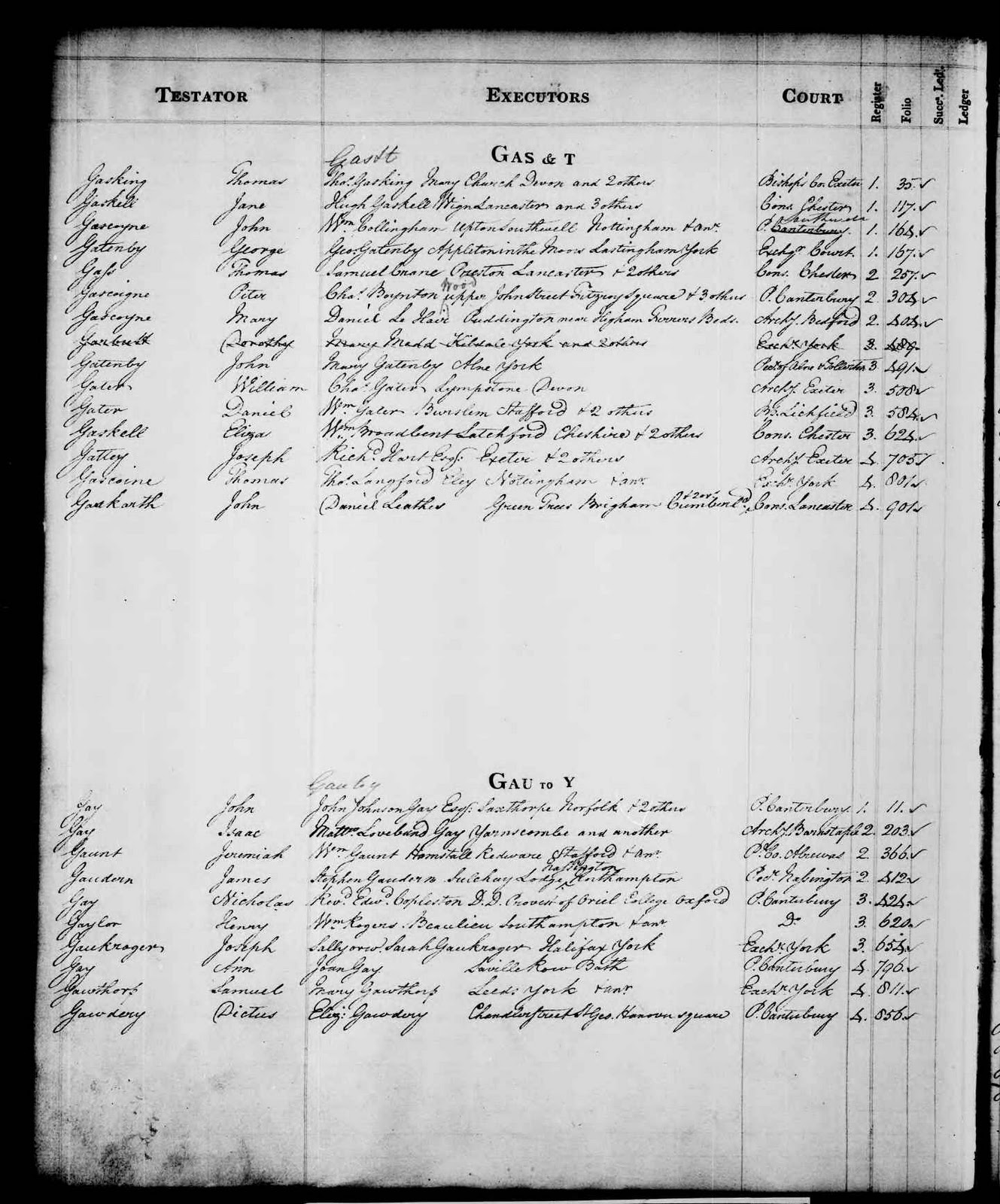
IR 27/153 (image from findmypast.co.uk)


One of my favourite record series that you have to search this way is Death Duty Registers. These are 19th century records (more or less - the actual time span is 1796-1903) that record the tax collected by the Inland Revenue on the estates of the deceased. They are well worth the extra effort required to access them, because they tell you something of what actually happened to a person's money, which might not be exactly as suggested by the will itself.  The records are in one record series (IR 26) and the indexes are in the following one (IR 27).

'Indexes' of this kind are not usually in strict alphabetical order, and when you think about it, that's not really surprising. They were created at the same time as the records, before computers, and the best way to understand them is to think of the way we used to keep paper address books. There is a page or section for each letter of the alphabet, and the entries are added as they occur. Death Duty Register indexes are annual, and the Inland Revenue, like some other departments, refined the system into 'cuts' as in the illustration, so that they didn't have to look through very long lists. Each entry then has a reference that will help locate the full entry in another book. There are fewer records of this kind than there used to be, because some records have been re-indexed from the original source, and sometimes digitised too, so you don't have to go the long way round any more. But there are still plenty left like this, so for the foreseeable future we still have to use the two-stage process of looking at a contemporary index first. 

If you really want to know more about Death Duty records there is a research guide on the subject.

Print