Saturday, 30 March 2013

Shopping Saturday - Marks in Time


Marks and Spencer is close to the heart of many a Brit, or at least close to their skin - or in their underwear drawer.  Marks in Time is the website of the M&S company Archives, and it recently celebrated its first anniversary. The archive itself is housed in the University of Leeds, and the website is well worth a visit, whether you are a serious student of retail history or you just like looking at old pictures. The site makes very good use of the company's extensive collection of images - photographs of buildings and people, and packaging and merchandise. For the Baby Boomer generation, that iconic 1970's fashion statement platform shoes will take you right back! You can do simple or advanced searches of the catalogue, with an option to select only items with images, and you can choose from a drop-down menu of subjects such as 'wartime', 'food and home', 'children' and so on. When I searched for all items with images in the category 'women', I found, as expected, lots of clothing items, but also wine labels and bars of chocolate. Makes sense, I suppose.

As well as the archive catalogue, there is a history of the company since its famous start as a Penny Bazaar in Leeds Market, complete with a timeline, biographies and memories. There is also a fine collection of resources for schools, including a game where you match the fashion to the decade. I have already spent more time than I intended to exploring - well, it's cold outside! Feel free to do the same.

Print

Friday, 29 March 2013

Kent newspaper online - South Eastern Gazette 1852-1912

I was following the pre-launch news about this online newspaper resource, and it actually went online a week ago, while I was in Salt Lake City and rather preoccupied with Rootstech. Now I am back I have been able to explore it a little. Earlier reports had suggested it would be free to UK residents, but chargeable if you are overseas. It is part of ukpressonline and you have to register to use the site. When you have done a free search and try to view the full page you are told that your subscription does not cover it, so you have to 'buy' a year's access for £0.00. From here in the UK I can;t see what the arrangements are, if any, for overseas users.

Maidstone, where the South Eastern Gazette was published
I tried out a few searches, and the OCR (Optical Character Recognition) works moderately well, although I got a few results where the highlighted text bore no relation to my search term, and in the advanced search an 'exact phrase' brought some results where the words appear quite separately on the page. The search results also include a short extract of text, which is generally less helpful than you will find on other sites like the London Gazette or the British Newspaper Archive  and sometimes there is no text extract at all. On the whole, the site is easy to use and the quality of the PDF page images is good. I was able to clip and save the items I was interested in. Results are returned in that old favourite 'Relevance' order, but you can re-sort them into date order, and display them as thumbnail, list or gallery view. You can see preview pages, view or save PDFs to your computer, or save them to your own bookshelf within the site. I was pleased to see that you can browse, as well as search. If you choose the PDF view, the text is highlighted, a very helpful feature with these large pages, but a mouse click on the page removes it, so you can get a nice un-highlighted copy.

An early cylinder press
There are other useful resources on the site, mostly 20th century, which you do have to pay for, and subscriptions are available for educational institutions and libraries. Have fun.

Print

Thursday, 28 March 2013

What I got out of Rootstech

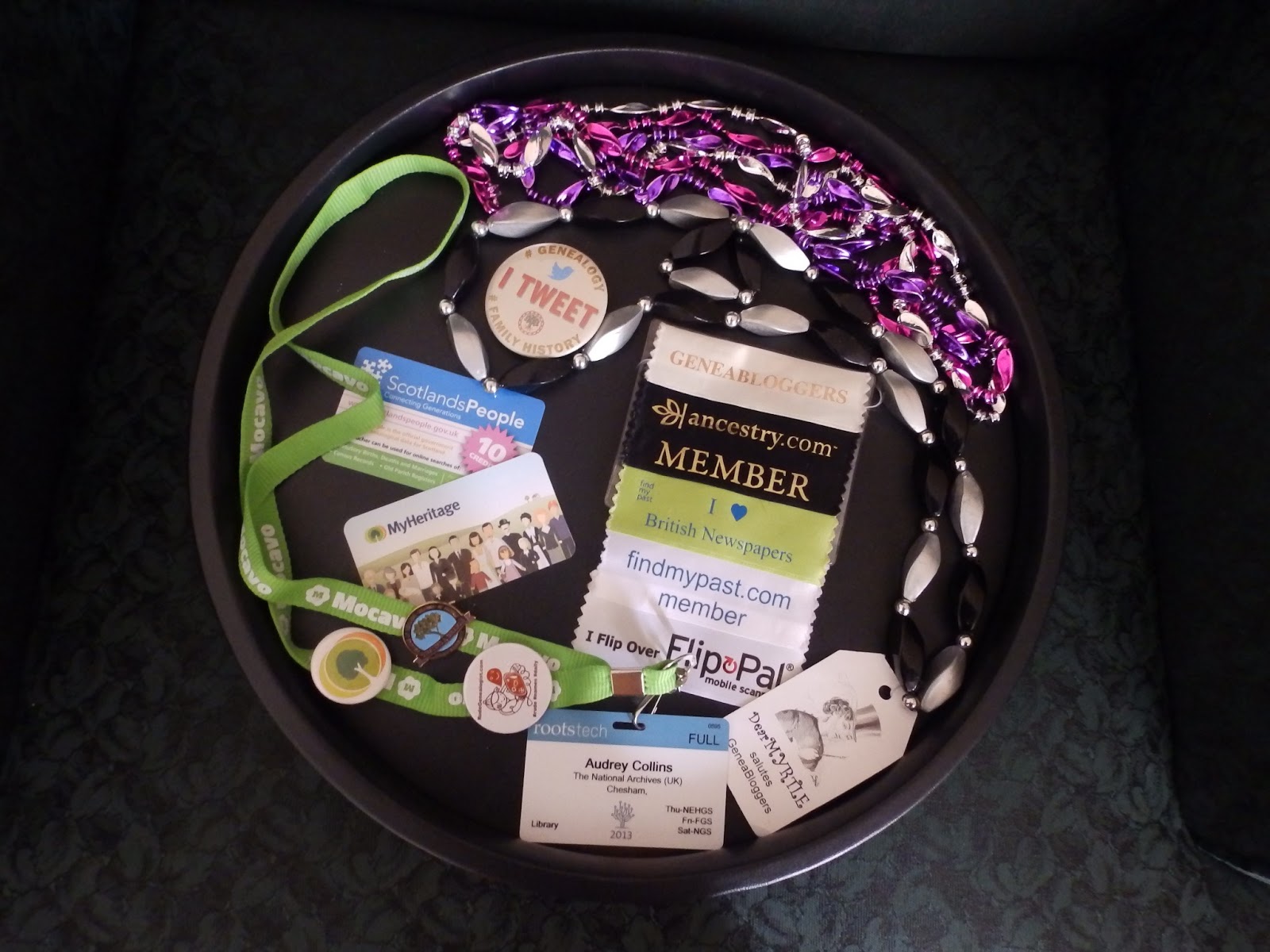
First the free stuff - badges, blogger beads and more.
This is just a selection of the goodies I acquired during Rootstech 2013, to add to a fair old existing collection - you can hear me coming, even if I'm not talking (it can happen!) with the clanking of the beads and badges I have accumulated over the last few years.

The blogger beads attract quite a bit of attention, and it has become a custom for members of the Geneabloggers community to get a new set of beads, courtesy of blogging royalty Thomas MacEntee and Dear Myrtle. The Rootstech 2013 beads were from Dear Myrtle, and they are the tasteful black and silver/grey ones with a 'Dear Myrtle' luggage tag. The sparkly pink, purple and silver ones are not strictly blogger beads, they were the required adornments for guests at Thomas's birthday party on Friday night (great party, Thomas!).

Badges can be more functional, especially the conference ID badge, marked with the events you had pre-booked. As it turned out, the events on the badges bore little relation to the sessions actually booked, but it didn't matter at all because the Rootstech door stewards had paper lists. I got badges from My Heritage, 'I Tweet' from the Society of Genealogists and another British badge from The Rude Genealogist - follow that link at your own risk! I also got a rather attractive enamelled pin for doing some FamilySearch indexing which is edging ever closer to the 1 billion mark.


The magic target wasn't quite reached during Rootstech, but it should be any time now... I have done quite a bit of indexing before, intermittently, and it's quite good fun. Well, it usually is - I consider myself a fairly experienced interpreter and transcriber, but the batch I did in public in the Expo Hall had the worst handwriting I have seen in a very long time (New Zealand passenger lists, since you ask). Ireally earned that badge!

Conference attendees can usually pick up a selection of adhesive ribbons to stick to the bottom of their  ID badges, and I was quite restrained this time, I just got Ancestry and Findmypast membership ribbons, plus 'I love British Newspapers' and 'I flip over Flip-Pal'. This year's complimentary lanyard was from Mocavo. I was also one of the lucky recipients of a voucher worth a 6-month subscription to My Heritage, a site that I have to confess I don't know very well, so I look forward to giving it a good try-out. And of course I can always find a use for a ScotlandsPeople voucher! Not a bad haul, I think.

What I didn't get...

Josh Taylor says 'sorry' and I forgive him!
The demand for Findmypast's 'Kiss me, my ancestors were...' badges greatly outstripped supply, and by the time I got anywhere near the stand they were long gone. But we have been promised further supplies at future events - put me down for Scottish and Irish, please.

Enough of the freebies, maybe next time I'll write something more serious and thoughtful.

Print

Monday, 25 March 2013

Rootstech - some pictures from Day Two

Shipley Munson  (aka Tenor 13) opens proceedings
Keynote speaker Jyl Pattee
Tim Sullivan on Ancestry family trees!...
....which is also true
Announcing a major collaboration with FamilySearch
Michael Leclerc of Mocavo, in the Backblaze Demo Theatre
Craig Miller of FamilySearch with keynote speaker Jyl Pattee
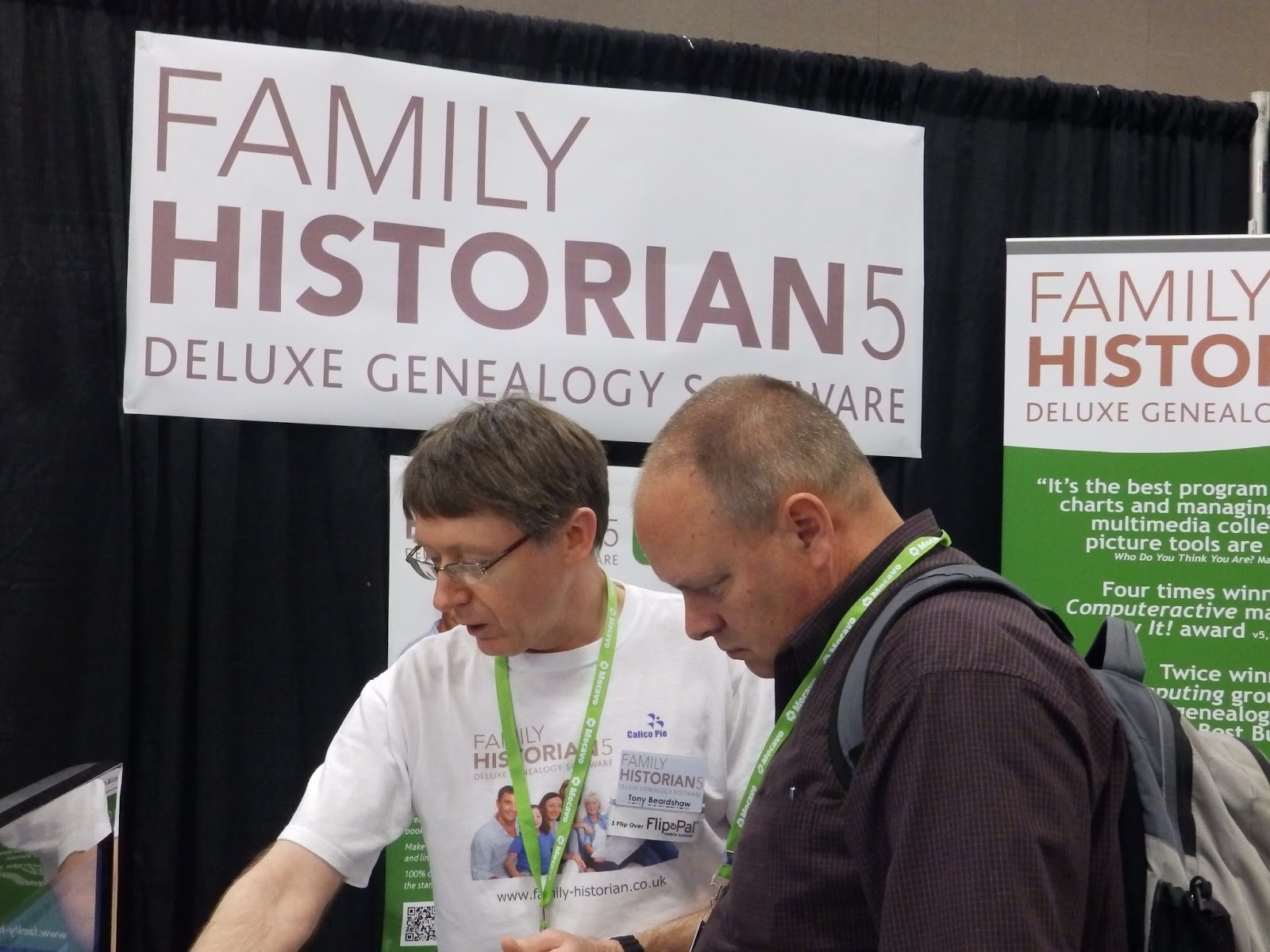
Tony Beardshaw of My History with Darris Williams of FamilySearch
In the Media Hub, blogging power trio Jill Ball, Randy Seaver and Dear Myrtle
Randy Seaver doing some Genea-Musing
My geni-mate Jill Ball (aka) Geniaus


Print

Saturday, 23 March 2013

Rootstech - What's in your gadget bag?

Day one of Rootstech had its range of live-streamed sessions, including the International Panel 'What's in your gadget bag?' led by my genie-mate Jill Ball aka Geniaus. She and the rest of the panel, Marie Dougan, AC Ivory and Heather Rojo, did a great job. Jill asked the panel (and herself) what they had in their gadget bag in a number of situations, such as a visit to a record office, a family reunion, and so on.

I was reassured to find that I had made the same choices as he panel in many cases. The Flip-Pal scanner scored very highly, as did the iPad, except with Jill, rugged individualist that she is, who is a big fan of the Samsung Galaxy tablet. But I think that the principle is that tablet devices of various types and sizes have become indispensable tools for many genealogists. Marie also struck a chord with me when she said that she was more comfortable with a keyboard than a pencil and paper! I'm not a great typist, but when I need to write something by hand I have been known to draft it on a keyboard first.

The panel set me thinking about my own gadget-bag choices. I also think of this every time I go through airport security, and have to decant half of the contents of my carry-on luggage into those plastic trays. There seems to be more of it every time I travel. For quite a long time I have taken a laptop with me almost everywhere, for research, for giving presentations, accessing the Internet and emails and so on. I also have a camera with me all the time; I have several other devices that can take pictures, but I really like to have a proper camera, with all its capabilities. If I were as capable as my new camera, we'd be doing just fine. I used to have an MP3 player, but when I switched to an iPod Touch and discovered all the other things it could do, then that became another indispensable gadget - it's my clock, calendar, notebook, address book and calculator, and even holds my family tree information. The screen is a bit small, so when the iPad was introduced in 2010, I bought one, and now I can't bear to be parted from that either. I particularly like this for the apps that allow me to take my up to date family tree with me, and for Evernote and Dropbox which I use all the time. I am comfortable with its on-screen keyboard, so I have been able to write magazine articles and book chapters on it.

As you can see, Apple is gradually enticing me towards the Dark Side, but this got as fas as it is going to get when I bought a 13 inch MacBook Air, which took a little getting used to for a long-time PC user, but I like it a lot. This is what I travel with because it is so light and portable, and my PC is a large desktop-replacement model. I like to have a foot in both camps, with both Apple and Windows devices, and I have an Android phone. I don't use the phone very much for voice calls, but I love having the internet in my pocket when out of range of a free wi-fi signal, and I can use it as a wi-fi hotspot to get online with one of my larger-screen devices. This works fine in the UK, but international data roaming charges are so high that I wouldn't even consider it in the USA.

My other big tech buy in 2010 was the Flip-Pal scanner, which I don't take on every trip, but it is very portable, so it comes with me if I am going to the Family History Library, or visiting relatives who might have documents or picture I want to scan. For a long flight I pack my own headphones for the movies or to listen to my own iPod.

Everything except the camera!

So my gadget bag contains:

It all fits in here

  • MacBook Air
  • Cordless mouse
  • iPad
  • iPod Touch
  • Flip-Pal scanner
  • Android phone
  • Little bag full of headphones, leads and adaptors
  • Noise-cancelling headphones
  • Camera


Not forgetting back-up kit in the form of the phone charger, a battery-charger to keep the camera and the Flip-Pal running, and UK to US adaptors so I can plug them in. I don't need this for the Mac, which I bought in the US, but when I arrived in Australia with all my gadgets, including a UK-Australia adaptor I realised that I also needed a US-Australia adaptor, so that was the first thing I bought at Sydney airport, even before my meat pie! Finally, there is a very low-tech piece of kit that I bring on trips to the Family History Library - magnets to mark the drawers my films came from.  


What's in your gadget bag?


Print